
The travel expense app where every day counts.


Just say what you paid. Every day becomes a bead on the chain, as big as what it cost.

Free to download · No account
Every trip asks the same questions.
-
“Will the budget last?”
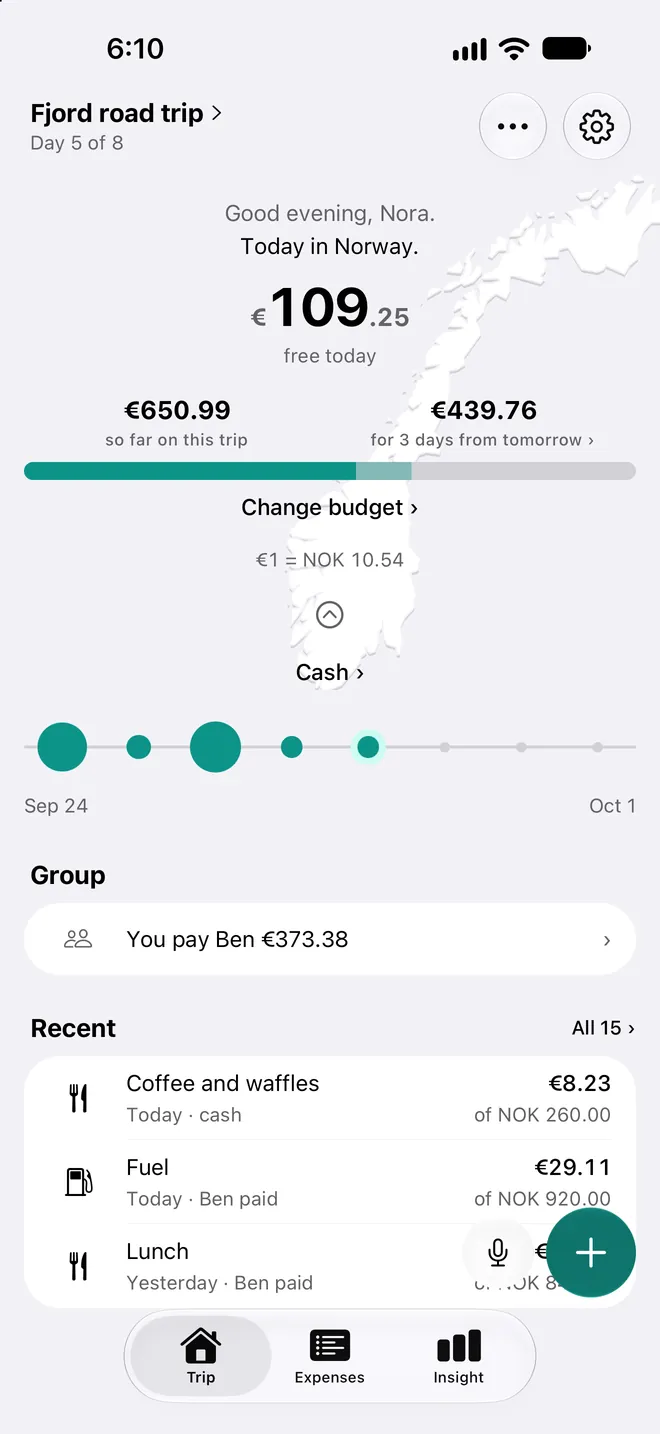
Your budget for today, worked out every day.
Tervaya counts the budget, what was paid ahead and the days so far. What a day leaves over goes to the days after it.
-
“I only had the salmon.”
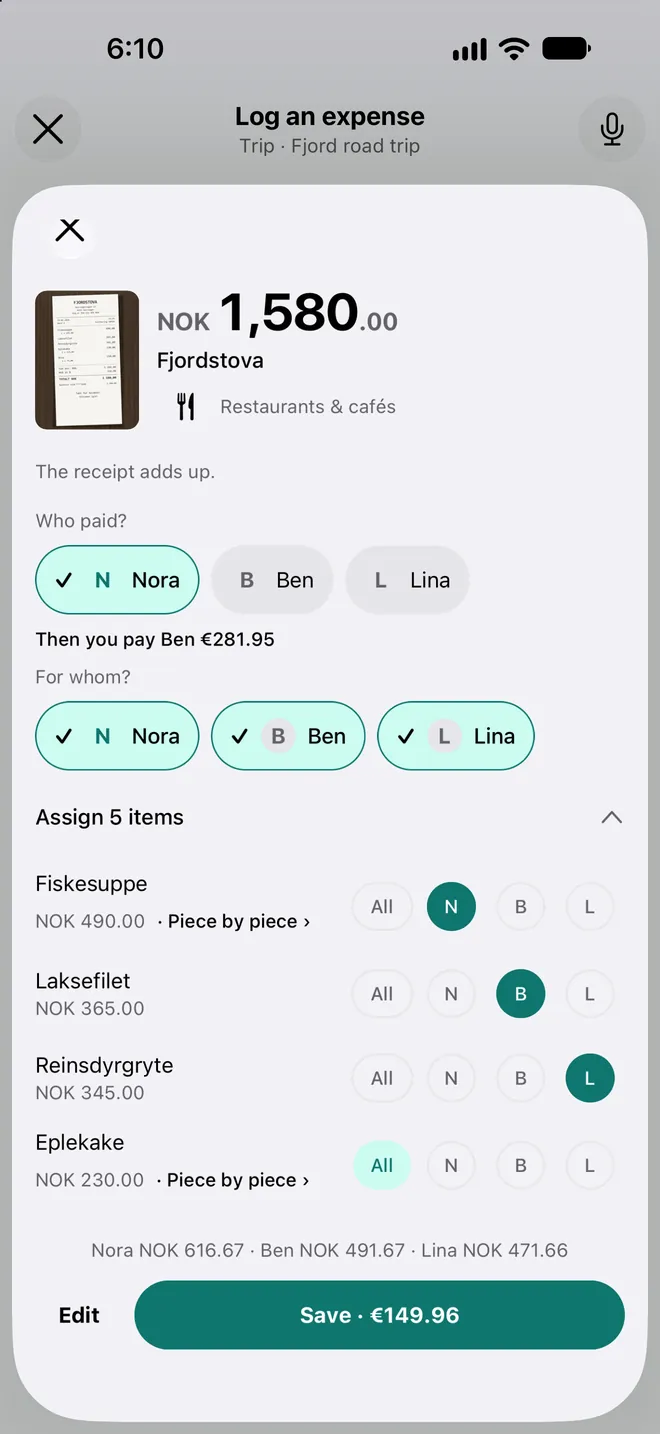
Everyone pays for what they had.
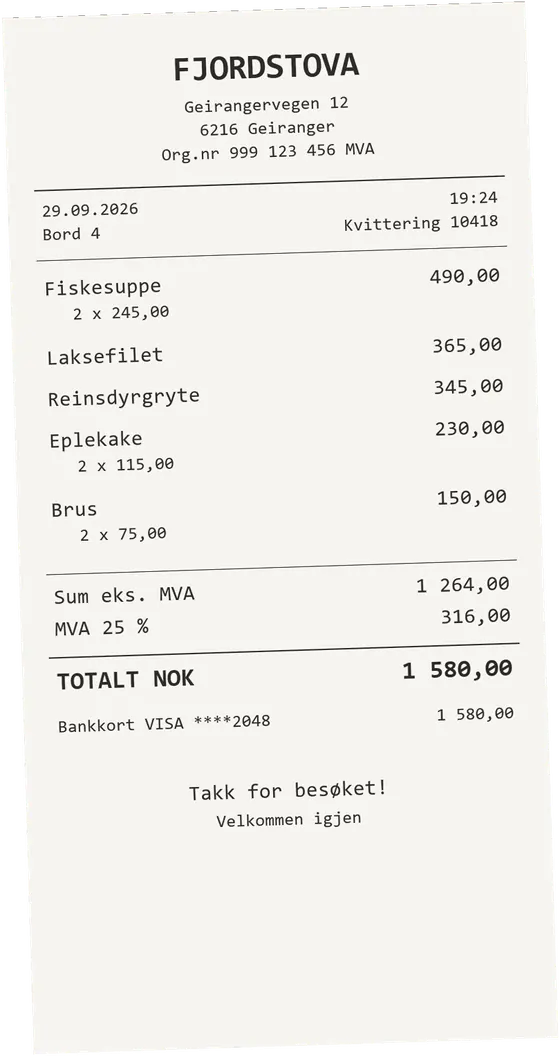
Take a photo of the receipt and Tervaya reads it line by line. Give each dish to whoever had it, and tip, service and tax follow everyone's share.
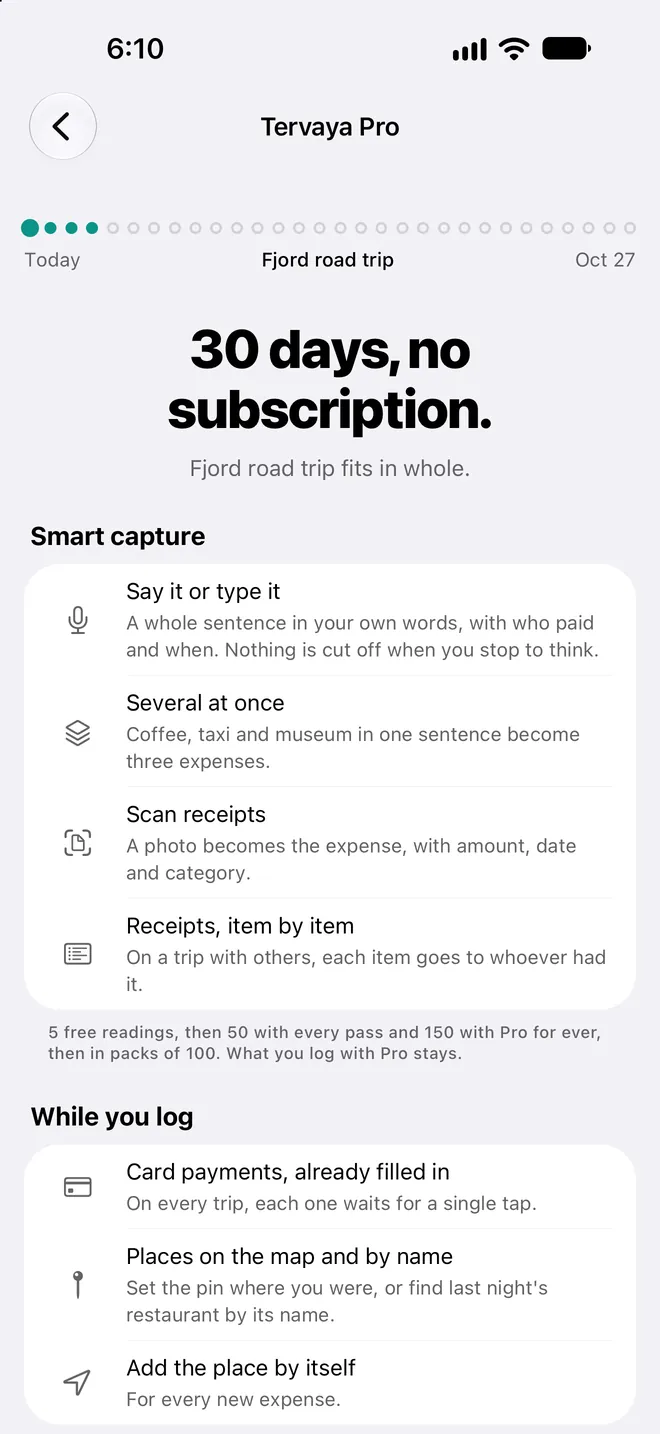
AI reads it 5 times to try, then with Pro.
-
“Do I have to type in every card payment?”
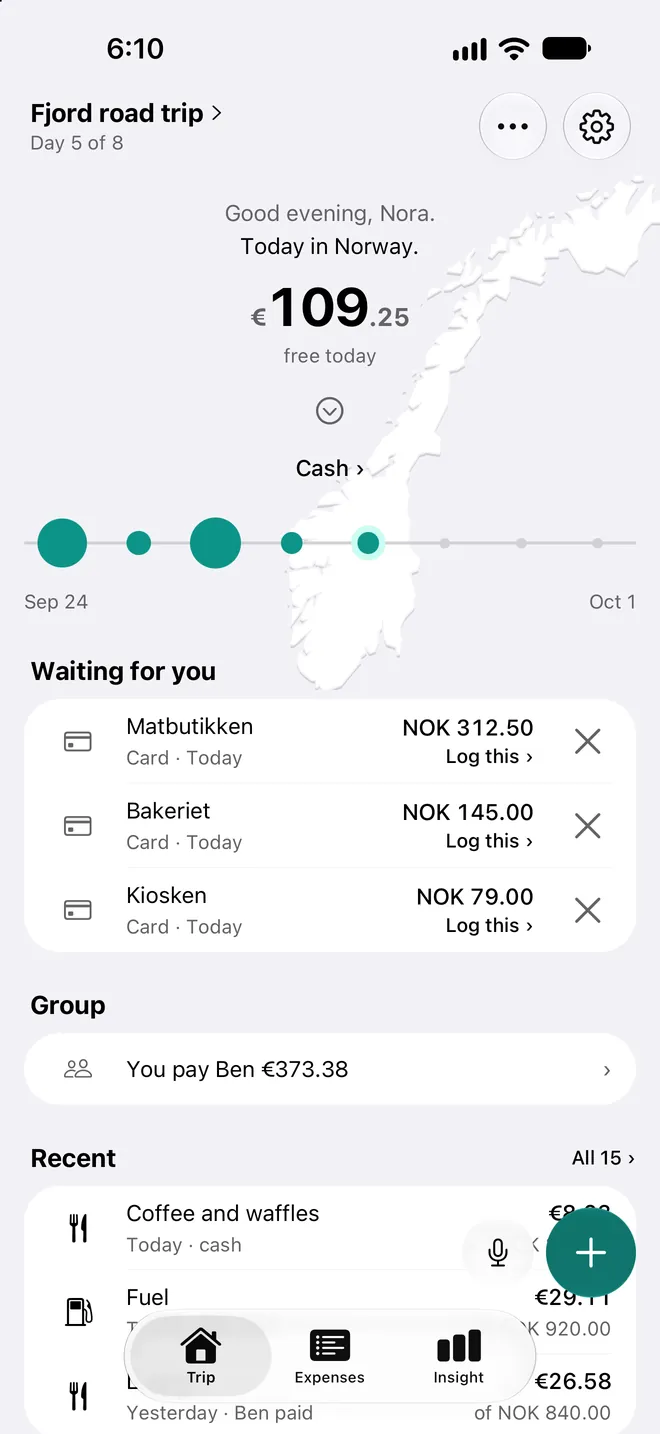
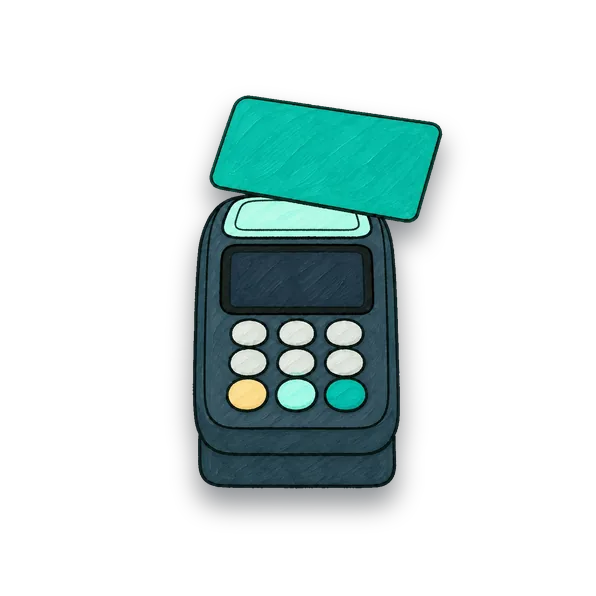
Card payments arrive already filled in.
On Android they come from your bank app's notifications, and on the iPhone from Apple Pay at the till. Each one waits for a single tap.
Free on your first trip with them for 30 days, then with Pro.
-
“Who pays whom at the end?”
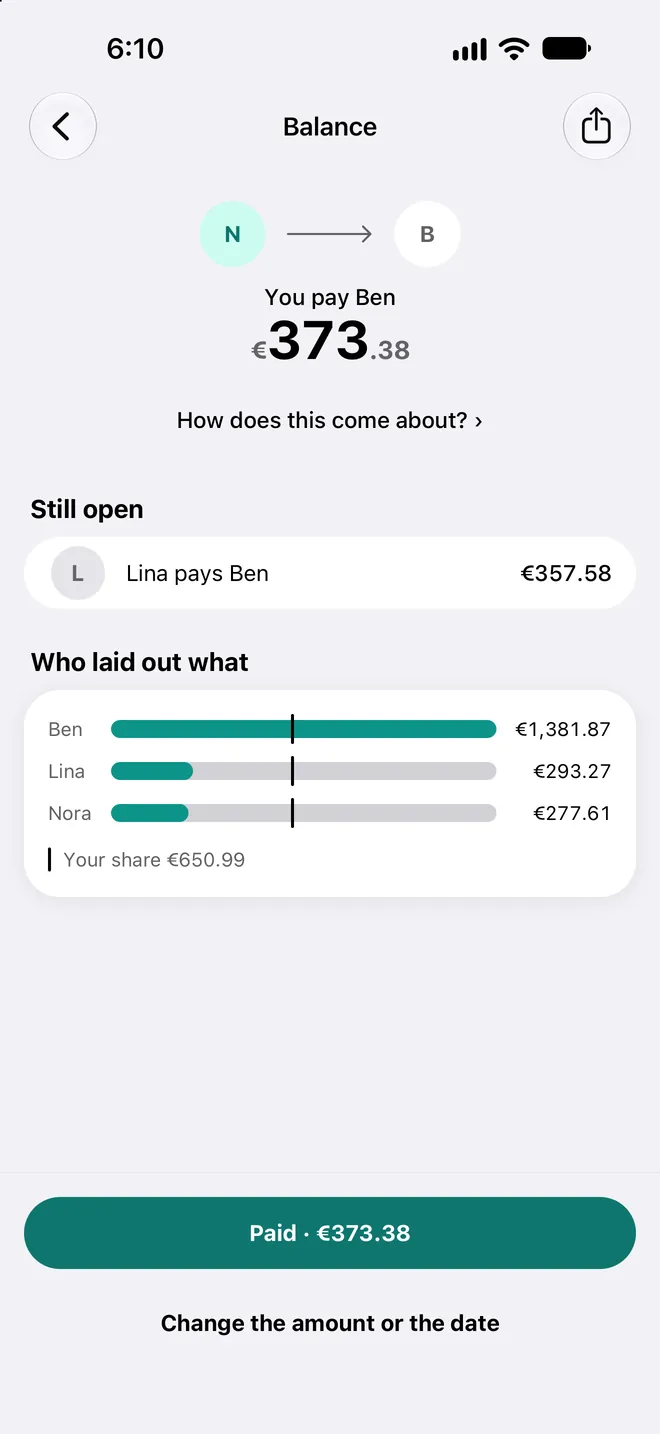
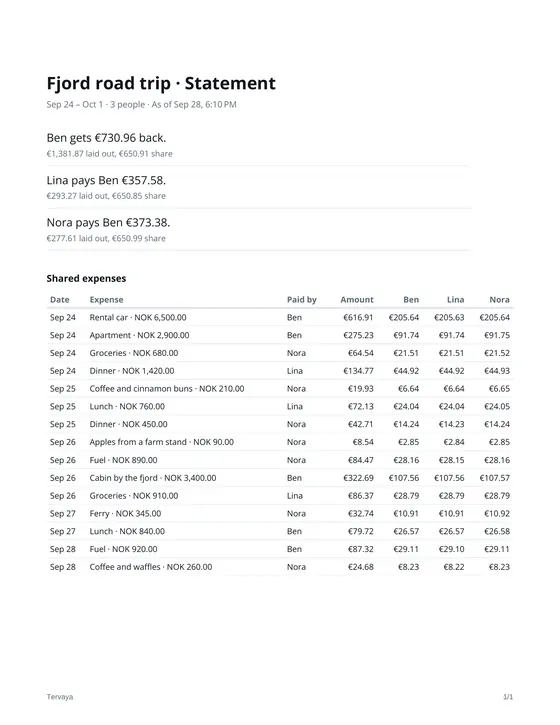
Tervaya works out who pays whom.
Friends join with just their name, by link or QR code, without an account. What you share goes encrypted through our mailbox, and only your phones can read it.
Free for everybody on the trip.
-
“Do I need a subscription for one trip?”
Pro comes as a pass, or once for ever.
Everything a trip needs stays free.










Made on our own trips.

Hi, we're Dima and Kata.
Many of our favourite memories were made on our travels. Along the way we noticed how often we looked at our money. How much have we spent so far? Will the budget last?
Read on
We tried all sorts of apps for it. They worked. Still, something was always missing for us.
So we started building an app ourselves. At first just for us and our trips. Over time it became Tervaya.
Today Tervaya comes with us on every trip. If the app makes your trips a little bit easier and nicer too, that makes us really happy.
If something's missing or something doesn't work, just write to us. We read every message ourselves.
Dima & Kata
Good to know before the trip.
What does Tervaya cost?
Any number of trips, free. A shared trip has room for 20 people.
Does it work without a connection?
Yes. Logging, the budget and settling up work offline. The day's rates and what others added to a shared trip arrive once you are back online.
Joining a shared trip, Smart and finding places by name need a connection.
Does everybody need Tervaya?
No. Add a person by name and log what they pay yourself. On a trip you don't share, the name never goes into our mailbox. Invite them only if they want to log on their own phone.
Where are my trips kept?
On your phone. Only a shared trip is also kept in our mailbox, encrypted so that only its phones can read it, and is deleted there 30 days after its last change. While the trip is under way or still ahead, one of its phones looking in counts as a change. With Pro, you can switch on Google Drive, and your phone backs up to your own Drive by itself.
Take your travel budget with you.
Free to download · No subscription


